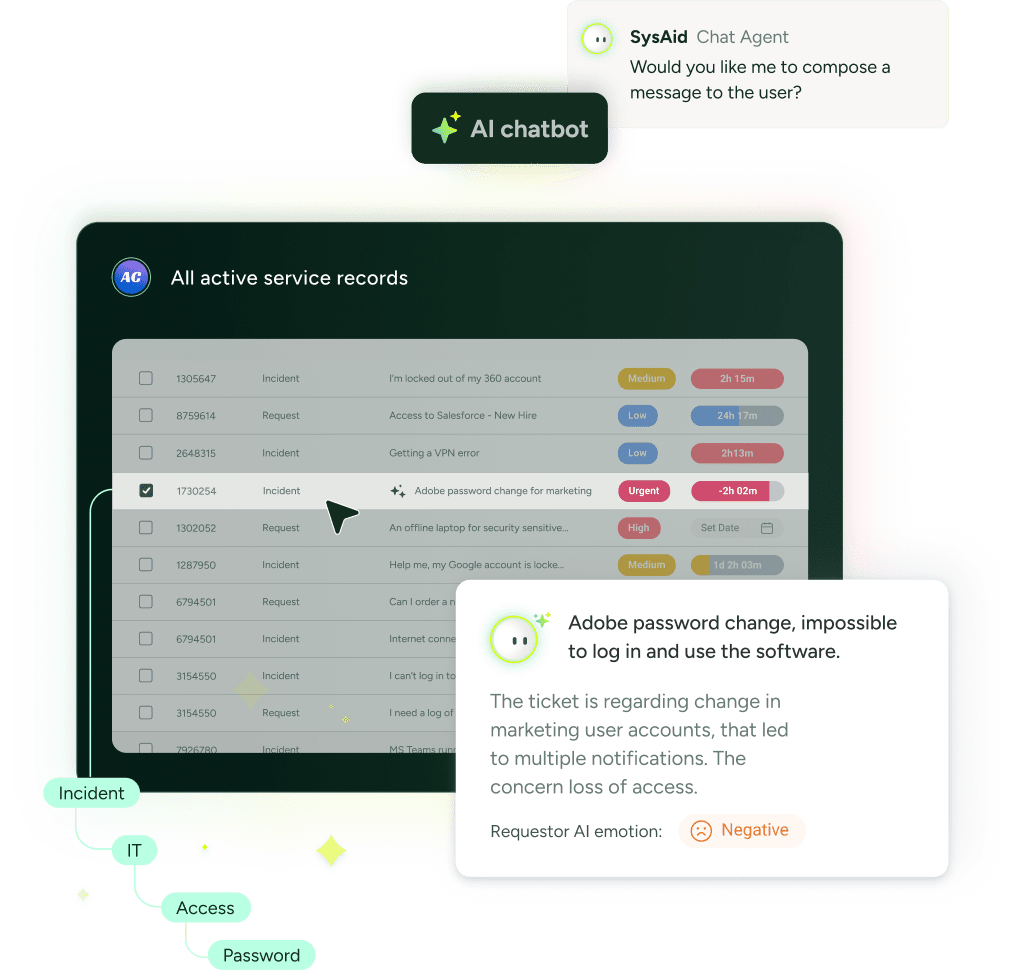
Help Desk is a comprehensive service desk solution that helps you streamline your IT operations, increase productivity, and implement industry best practices. In one centralized location, you have all the tools you need to handle all service requests your IT department receives. From assigning tasks to administrators and resolving incidents to automating workflows and tracking through to completion, SysAid Help Desk equips you to handle your organization’s IT requirements according to IT best practices.
Improve response time, control your IT activities, and meet your organization’s requirements. Providing fast and effective support is that simple!
By automating your help desk processes, SysAid Help Desk helps you handle issues as quickly and efficiently as possible. You can configure parameters based on your IT department’s requirements and business goals to ensure that administrators focus their energy to where it’s really necessary and that every service request receives the attention it deserves. SysAid Help Desk’s automation platform includes:
Specify the individual administrator, queue, or support groups to which service requests should be directed based on category, urgency, or other predefined parameters.
Create a set of conditions that determines what should happen to a service request if, for example, it has not been resolved by its due date or it has a high urgency. Define this criteria based on many different help desk fields. The query and action builders are also available to extend the criteria to other fields in the service request.
Set the priorities of service requests based on predefined parameters. A visual alert system will keep you instantly informed on the priority of every service request in your list.
Stay informed about your help desk tasks and keep your end users automatically updated on the resolution status of their service requests.
Set up due dates for the various services provided to ensure that superior support and SLAs are met.
Create quick list templates for the fast entry of service requests for common issues. Service requests created from quick lists are pre-populated with predefined information so that you can save the time of manually entering the same information.
Control admin groups with customizable permissions and define support levels per admin group to track the maximum support level that each service request reaches. You can also define permissions for individual administrators.
Specify the administrator who is responsible for the handling and resolution of a service request or assign the service request to a specific administrator group.
The best way to know if your end users are satisfied is to ask them! When closing a service request, provide your end-users with a survey for them to evaluate their support experience. This can provide you with important insights into how your service is valued and perceived.
SysAid Help Desk offers many built-in tools to help you identify and resolve problems as effectively as possible. All the information you need about a specific issue is contained within the service request itself.
Find solutions in a database of common service requests and their resolutions. Perform a smart search from within a service request to identify similar issues in the Knowledge Base. In addition, SysAid helps you build your Knowledge Base by allowing you to automatically add all resolved service request solutions as Knowledge Base items. Add these items to the End-User Knowledge Base to enable end users to resolve issues on their own.
Maximize the shared knowledge of your IT department! The time-saving information contained in the administrator Knowledge Base helps you learn from other IT administrators (as well as your own previous experiences) to find the best solutions as quickly as possible.
Your end-users can press the F11 hotkey to access the End-User Web Portal and report a technical problem. SysAid automatically takes a screenshot of the screen they are viewing, and this full-sized screenshot is then attached to their service request. It's great tool to help you more easily and efficiently diagnose their problem.
When an end user submits a service request using the F11 hotkey, the asset they are using is automatically attached to the service request. This gives you instant access to their asset information from within a service request, keeping all information easily in-reach.
All correspondence you have with an end user about a specific issue is saved within the relevant service request. That means that you don’t have to search through your email or chat archives to track down what you discussed with an end user last week. Every modification you make to a service request is documented so that you can access a full history of the service request’s life-cycle.
If a certain incident happens more than once or is submitted many times, you can attach multiple service requests to a single "parent" service request. All changes you make to the parent service request automatically affect the “children” service request so you don’t have to update each one individually.
The easier it is for your end users to submit service requests, the better the service you’ll be able to provide them. With SysAid, you can provide your end users with many different channels through which they can submit service requests.
A central hub where your end users can submit service requests, access the Knowledge Base to independently resolve their own issues, track their service history, and participate in change processes.
When an end user sends an email to one of your help desk email addresses, SysAid will convert the email into a service request. You can set up multiple email accounts for your different IT processes.
With iFrame support, you can easily embed the End-User Web Portal into your own website to make it as accessible as possible for your end users.
Not only can you embed the End-User Web Portal into your own website, but you can also customize its format and appearance to reflect your company’s brand.
While chatting with your end-users, you can easily create a service request from within the chat session. In addition, if no administrator is online to chat, end-users can leave messages that are automatically converted into service requests.
Your IT environment is a dynamic set of moving parts that constantly influence each other. To effectively run your help desk, you need information about your assets, network, servers, and end users. With SysAid, all this information is accessible from within the help desk.
From within a service request, you can view the details of the attached asset and perform a remote control session with a single click of the mouse. Similarly, from within Asset Management, you can view the full service request history for every asset.
Automatically add a closed ticket solution to the Knowledge Base as well as search the Knowledge Base from within a service request to find a solution.
Monitoring rules can directly open service requests with the exact service request details you specify. Emails and text messages can also be sent for various events when they arise.
Attach a service request to a task or project. In addition, task notifications can open service requests with the exact service request details you specify.
From within a service request, view a user’s profile and service history with a single click!
View the business impact that a service request could have by linking the service request to a configuration item in your CMDB.
The Result: Faster, more efficient, and more effective service for your entire organization